View our Online Tutorial for a description and overview of basic and advanced SpringerImages features.
View our User Guide for a description and overview of basic and advanced SpringerImages features.
For questions about accessing the product or any other technical questions, please contact the Springer Customer Service Center. Contact information for your nearest Service Center can be found on the Contact Us page.
Click My Profile to edit your personal information, manage saved searches, and manage image sets.
What is SpringerImages? SpringerImages is a growing collection of scientific images that spans the scientific, technical and medical fields, including high-quality clinical images from images.MD. The continually updated collection – currently over 5 million images – gathers photos, graphs, histograms, figures, and tables, and is available to libraries and their patrons via a searchable online database. The SpringerImages interface enables users to search faster, more broadly and more accurately, through captions, keywords, context and more, even jumping from the image to the source article. Users can create personalized image "sets," and can easily export images for use in their own presentations or lectures.
How many images are there in the database? An up-to-date count of images is available on the home page. In April 2013 there are over 5 million images.The SpringerImages collection is a continuing growing collection and new images are added to the product as soon as they are available.
What subject areas are covered by SpringerImages? SpringerImages will cover all STM disciplines. A majority of the images come from the biomedical, life sciences and medicine subject areas. Please view the SpringerImages homepage for an actual overview of the coverage for each subject area.
How is SpringerImages related to SpringerLink? SpringerLink is one source of images on SpringerImages. Users can link directly from the image details page to the article on SpringerLink if they wish to discover more information about the image.
What do we allow the researcher to do with the images? For Springer-owned content, subscribers retain the permission to use images for non-commercial use without further permission during the subscription. By default, users can use the images for personal, non-commercial use. Additional permissions, e.g. to re-use an image in a new book, can be requested via the traditional copyright permissions procedure.
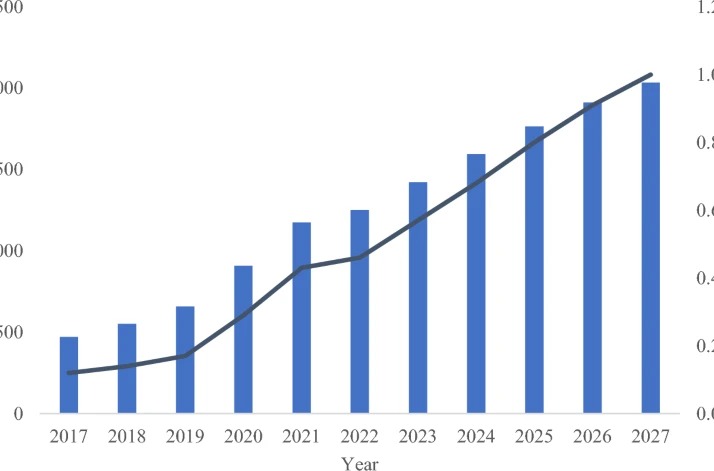
How many new images do we offer in the next years? Images are added to SpringerImages as they are published by Springer, ensuring that SpringerImages is constantly up-to-date. This means that at least 500,000 images from Springer content are added to SpringerImages every year.
Are there only images from Springer in the database? No. Currently SpringerImages also includes content from images.MD and Biology Image Library.
Does Springer Images provide subscribers with personalization features? Yes. Users can create groups of images called "image sets" out of all images to which they have access and download images and their respective source information to PowerPoint or PDF. Users can save specific searches to return to for later use. Users can also be notified about new content specific to their interests via RSS feeds.
Are the images citable? Yes. Each image includes the source information of the article from which the image originates and a link to the full-text. This information is also included in the download to ppt feature for easy use.
Is SpringerImages indexed in any databases? The actual content is not, but the pages with the image captions will be indexable by all search engines.
Can more than one person at a time access SpringerImages? Yes. There is no limit on simultaneous usage.
Can SpringerImages be used off-campus/off-site? Yes. Through SpringerImages IP enable authentication, any user can access their institution's SpringerImages subscription through the institution’s intranet.
What's the difference between SpringerImages and images.MD? SpringerImages is a collection of images comprising all STM disciplines and includes Images.MD, a smaller image database that covers clinical medicine. Images from images.MD are incorporated into the SpringerImages database.
Can individuals subscribe to SpringerImages? Yes. Individuals can subscribe to SpringerImages via this link.
Are usage statistics available for SpringerImages? All institutional administrators have access to COUNTER statistics through their administration account.
Where can librarians and users get more information about SpringerImages? More information about SpringerImages can be found on springer.com/images or by speaking with a Sales Representative.
Are there any tools for librarians to promote the product within his or her institution? Yes. Please contact your licensing manager or go to Springer.com/images.
What are some common applications of this product? SpringerImages can be used for lectures, presentations, ongoing research, publications (with permission), as a new point of access reaching deep into the article content as well as other applications.
What if I forgot my username or password? You can use the Forgot Username or Password link present on login screen to enter your e-mail address to receive your username and a link to reset your password.
Where can I find information on rights and permissions for the images? Information on rights and permissions can be found by selecting Terms of Use from the homepage. Also, on the bottom of the image details page you will found more information about the use and copyright of a specific image.
How do I recommend a subscription to my library administrator? Please use the "recommend to my librarian" link via SpringerImages.com
How does one search SpringerImages? All content on SpringerImages can be found via standard and advanced search features as well as by browsing categories. For more information on the search syntax, please see this section of the help pages.
What can users do without a subscription? Users without a subscription can search the database for images. Full-sized images will be available to select free as well as open-access images. Personalization features are available to anyone who is registered.
Does Springer offer pay-to-use service? No. Currently a subscription is required to access the database.
Does SpringerImages have full-text search? SpringerImages was built off of full-text search, but designed to get users directly to the specific piece of content they seek. In doing so, SpringerImages was refined so that users do not receive superfluous results but instead quickly access a refined list. The full-text of each article is scanned for the image, caption of the image, and each sentence that refers to the image within the text. This information is extracted from the full-text and comprises the SpringerImages database. The components of tables are also included in the full-text search. All of these pieces of information are then made searchable via SpringerImages.com, resulting in a refined results list that reaches deep into each article and delivers only the pieces of information pertinent to the images.
How often is SpringerImages updated? SpringerImages is updated nearly on a daily basis.
How do I identify an image? Each image has a unique identifier (or imageID), based on "vendor ID," DOI, and sequence in article. All images can be navigated to using an open url structure (http://www.springerimages.com/ImageDetail.aspx?id=) followed by the imageID. Some imageID examples:
On SpringerImages you use the standard search form also to create boolean searches. The available operators are AND, OR, NOT and NEAR. Please note operators have to be uppercase.
Stemmed searches The terms the user enters will match any term that shares the word root. For example, “mouse” will match both “mouse” and “mice”, and “run” will match “run,” “runs,” “ran,” and “running”. Please note that stemming does not cross parts of speech.
Phrase search Terms that are wrapped by double quotes will be searched as a phrase, meaning all words must appear next to each other. Stemming will be enabled for phrase searches, meaning “intellectual property” will match “intellectual property” and “intellectual properties.”
Flexible syntax Searches are not case sensitive or diacritic sensitive (e.g. accents on characters). They are, however, punctuation sensitive.
AND-joined terms By default all terms and phrases will be required to appear in any matching 'image document'.
OR Operators OR operators provide the ability to search using a query like “foot OR hand” to return documents that contains either of those terms. Alternatively, a single pipe character can be used in place of an OR operator (e.g. “foot | hand”). OR operators without parentheses include the two terms or phrases next to the operator. For example, “judge OR jury intellectual property” is the same as “(judge OR jury) intellectual property”.
NOT Operators NOT operators provide the ability to exclude terms, groups or phrases from the search results. A search for ‘NOT intellectual’ will return documents that do not contain “intellectual” in them. Alternatively, a dash character can be used in place of a NOT operator (e.g. “-intellectual”) The NOT operator acts only on its following term, group or phrase.
Grouped terms and phrases When using Boolean operators the user can choose to group terms together by using parentheses. For example “judge OR (hung jury)” will find documents that contain either “judge” or “hung” and “jury”.
NEAR queries Near queries offer the ability to perform proximity searches. For example, “dog NEAR bite” would return documents that contained “dogs have bit humans”, “dogs do bite people”, or “the cat was bitten by the dog”. To specify the number of words away two words or phrases should be, use the syntax NEAR/n where n is the distance in words, such as “dog NEAR/5 bite” where documents will match when “bite” is within 5 words of “dog”. Near queries work with phrases, but do not work with groups.